> For the complete documentation index, see [llms.txt](https://apps.developer.homey.app/llms.txt). Markdown versions of documentation pages are available by appending `.md` to page URLs; this page is available as [Markdown](https://apps.developer.homey.app/the-basics/devices/pairing/system-views/loading.md).
# Loading
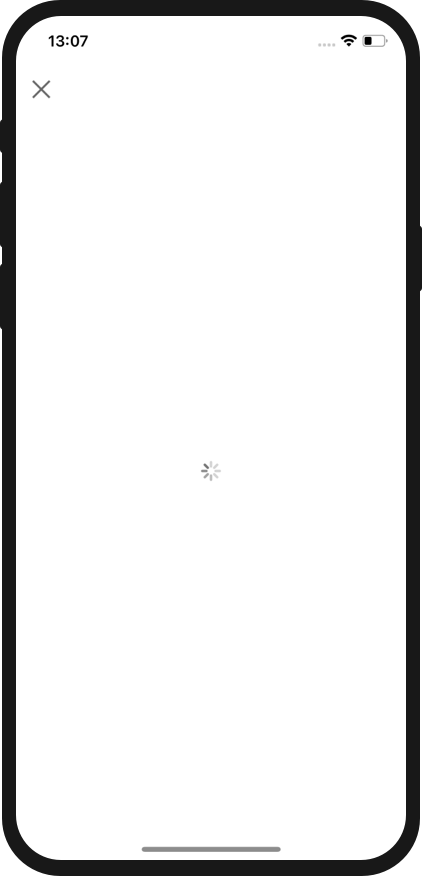
This view will show a loading indicator. It's usually useful to show this view when an asynchronous operation needs to be made.
**Usage:** `"template": "loading"`
 {% code title="/drivers/\/driver.compose.json" %}
```javascript
{
"name": { "en": "My Driver" },
"images": {
"small": "/drivers/my_driver/assets/images/small.png",
"large": "/drivers/my_driver/assets/images/large.png"
},
"pair": [
{
"id": "list_devices",
"template": "list_devices",
"navigation": { "next": "loading" }
},
{
"id": "loading",
"template": "loading"
},
{
"id": "add_devices",
"template": "add_devices"
}
]
}
```
{% endcode %}
{% tabs %}
{% tab title="JavaScript" %}
{% code title="/drivers/\/driver.js" %}
```javascript
const Homey = require("homey");
const DeviceAPI = require("device-api");
class Driver extends Homey.Driver {
onPair(session) {
session.setHandler("list_devices", async () => {
return [
{
name: "My Device",
data: {
id: "abcd",
},
},
];
});
session.setHandler('showView', async (view) => {
if (view === 'loading') {
await DeviceAPI.connect();
await session.nextView();
}
});
}
}
module.exports = Driver;
```
{% endcode %}
{% endtab %}
{% tab title="TypeScript" %}
{% code title="/drivers/\/driver.mts" %}
```mts
import Homey from "homey";
import DeviceApi from "./device-api.mjs";
export default class Driver extends Homey.Driver {
async onPair(session: Homey.Driver.PairSession): Promise {
session.setHandler("list_devices", async (): Promise => {
return [
{
name: "My Device",
data: {
id: "abcd",
},
},
];
});
session.setHandler("showView", async (view: string): Promise => {
if (view === "loading") {
await DeviceApi.connect();
await session.nextView();
}
});
}
}
```
{% endcode %}
{% endtab %}
{% tab title="Python" %}
{% code title="/drivers/\/driver.py" %}
```python
from device_api import DeviceApi
from homey import driver
from homey.pair_session import PairSession
class Driver(driver.Driver):
async def on_pair(self, session: PairSession) -> None:
async def on_list_devices() -> list[driver.ListDeviceProperties]:
return [{"name": "My Device", "data": {"id": "abcd"}}]
async def on_show_view(view: str) -> None:
if view == "loading":
await DeviceApi.connect()
await session.next_view()
homey_export = Driver
```
{% endcode %}
{% endtab %}
{% endtabs %}
{% code title="/drivers/\/driver.compose.json" %}
```javascript
{
"name": { "en": "My Driver" },
"images": {
"small": "/drivers/my_driver/assets/images/small.png",
"large": "/drivers/my_driver/assets/images/large.png"
},
"pair": [
{
"id": "list_devices",
"template": "list_devices",
"navigation": { "next": "loading" }
},
{
"id": "loading",
"template": "loading"
},
{
"id": "add_devices",
"template": "add_devices"
}
]
}
```
{% endcode %}
{% tabs %}
{% tab title="JavaScript" %}
{% code title="/drivers/\/driver.js" %}
```javascript
const Homey = require("homey");
const DeviceAPI = require("device-api");
class Driver extends Homey.Driver {
onPair(session) {
session.setHandler("list_devices", async () => {
return [
{
name: "My Device",
data: {
id: "abcd",
},
},
];
});
session.setHandler('showView', async (view) => {
if (view === 'loading') {
await DeviceAPI.connect();
await session.nextView();
}
});
}
}
module.exports = Driver;
```
{% endcode %}
{% endtab %}
{% tab title="TypeScript" %}
{% code title="/drivers/\/driver.mts" %}
```mts
import Homey from "homey";
import DeviceApi from "./device-api.mjs";
export default class Driver extends Homey.Driver {
async onPair(session: Homey.Driver.PairSession): Promise {
session.setHandler("list_devices", async (): Promise => {
return [
{
name: "My Device",
data: {
id: "abcd",
},
},
];
});
session.setHandler("showView", async (view: string): Promise => {
if (view === "loading") {
await DeviceApi.connect();
await session.nextView();
}
});
}
}
```
{% endcode %}
{% endtab %}
{% tab title="Python" %}
{% code title="/drivers/\/driver.py" %}
```python
from device_api import DeviceApi
from homey import driver
from homey.pair_session import PairSession
class Driver(driver.Driver):
async def on_pair(self, session: PairSession) -> None:
async def on_list_devices() -> list[driver.ListDeviceProperties]:
return [{"name": "My Device", "data": {"id": "abcd"}}]
async def on_show_view(view: str) -> None:
if view == "loading":
await DeviceApi.connect()
await session.next_view()
homey_export = Driver
```
{% endcode %}
{% endtab %}
{% endtabs %}